File uploader
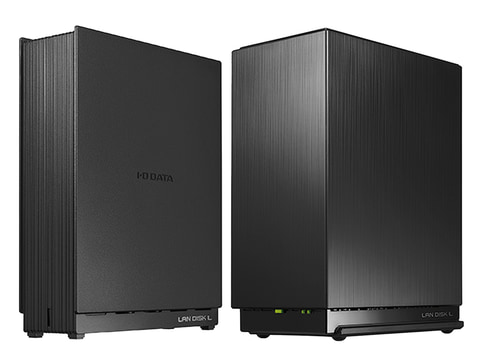
Quick Check for Slow Transfer Speed of I-O DATA (LAN DISK)
Here is a summary of the first points to check. If you want to improve the perceived speed immediately, prioritize this over finer details.
- Check if the LAN port is not 100Mbps (1Gbps is required)
- Check if the LAN cable is CAT5e or higher
- Ensure the PC and LAN DISK are connected under the same router
- Use SMB2/SMB3 instead of the old SMB1
- Check if there is not too little free space on the HDD (including fragmentation)
- Ensure that the antivirus software is not scanning in real time
Main Causes for Slow LAN DISK
① Physical Network Speed Limitations
I-O DATA's LAN DISK supports Gigabit LAN (1Gbps) in many models. However, in reality,
- Old routers
- 100Mbps compatible switches
- Degraded LAN cables
can cause it to drop to 100Mbps connection.
Theoretical comparison:
- 100Mbps → Effective speed is around 10MB/s
- 1Gbps → Effective speed is around 80-110MB/s
If a file copy is only around 10MB per second, let's suspect this first.
② HDD Performance and RAID Configuration Impact
The performance of the HDD inside the LAN DISK is also crucial.
- 5400rpm models are slow
- RAID1 is safe but slightly decreases speed
- Fragmentation and degradation over long-term use
Especially in environments with multiple simultaneous accesses, the HDD becomes a bottleneck.
③ SMB Settings Issues
Communication between Windows and the LAN DISK typically uses SMB protocol.
Using the old setting of SMB1 leads to
- Poor communication efficiency
- Security risks
If possible, please change to SMB2 or SMB3.
④ CPU Performance Limitations
Entry-level LAN DISKs may have weak CPUs.
- Encryption communication enabled
- Simultaneous backups running
- Media server features ON
If these are running simultaneously, they will push the CPU usage to 100%, resulting in decreased speed.
Fundamental Improvements for Speed
Optimize the Network
- Unify all devices to be Gigabit compatible
- If passing through a switching hub, ensure it is also 1Gbps compatible
- If possible, connect the PC and LAN DISK directly to the same hub
Enable Jumbo Frames
If supported, setting the MTU to 9000 can improve transfer efficiency. *All devices must support it.
Switch to SSD Cache Capable Models
For business use, switching to NAS with an SSD is also effective.
Alternative Solutions When Still Slow
If sharing large files is still heavy, using external upload services can be effective.
For example, UploadF offers
- Compatibility with both PC and smartphones
- Drag and drop upload capability
- Free to use
- Allows simultaneous uploads of up to 100 files
- Individual deletion function
Even during busy hours for the LAN DISK, it can be used for temporary sharing of large data. It is also convenient for dealings with outside parties.
Symptoms to Watch Out For
- Transfer speed is only about 5-10MB per second
- Speed fluctuates drastically during copying
- Video playback stutters
- Wait several seconds during access
These are likely to be caused by a bottleneck in the network or HDD.
Summary
The main causes for I-O DATA's LAN DISK being slow are:
- Connection at 100Mbps
- Limitations of HDD performance
- Issues with SMB settings
- Excessive CPU load
The first priority is to check network speed.
If improvement is not seen, using cloud services or uploadf.com like free uploaders according to your needs can be efficient without lowering productivity.
With appropriate cause analysis, in many cases, improvement is possible before considering hardware replacement. Please check them one by one.