File uploader
【What is Upload Speed?】
"Upload speed" refers to the speed used when transmitting data from a device to the internet.
Similar to download speed, it is generally expressed in Mbps (megabits per second), with larger numbers indicating faster speeds.
【Upload Speed Benchmarks by Usage】
Desired upload speed benchmarks
- Light Usage (Photo Posting/Email Sending): Approximately 1-3Mbps
- Online Meetings (such as Zoom): 10-15Mbps
- Large File Uploads/Cloud Storage: 20-80Mbps
- High-Quality Live Streaming or Frequent Large Data Transfers: 50Mbps and above
For light usage in typical households, 3-10Mbps is practical, but for work or online gaming where data transmission is frequent, aiming for 50Mbps or more provides a more comfortable experience.
【Criteria for Considering Upload Speed as "Fast"】
While a larger number indicates a faster speed, consider the following practical benchmarks.
- 10-20Mbps: A guideline for uploading large amounts of photos or videos and having smooth online meetings.
- 50Mbps and above: A speed that feels fast for frequent users handling large amounts of data.
- 100Mbps and above: A speed that ensures comfort even for multiple users simultaneously or professional uses.
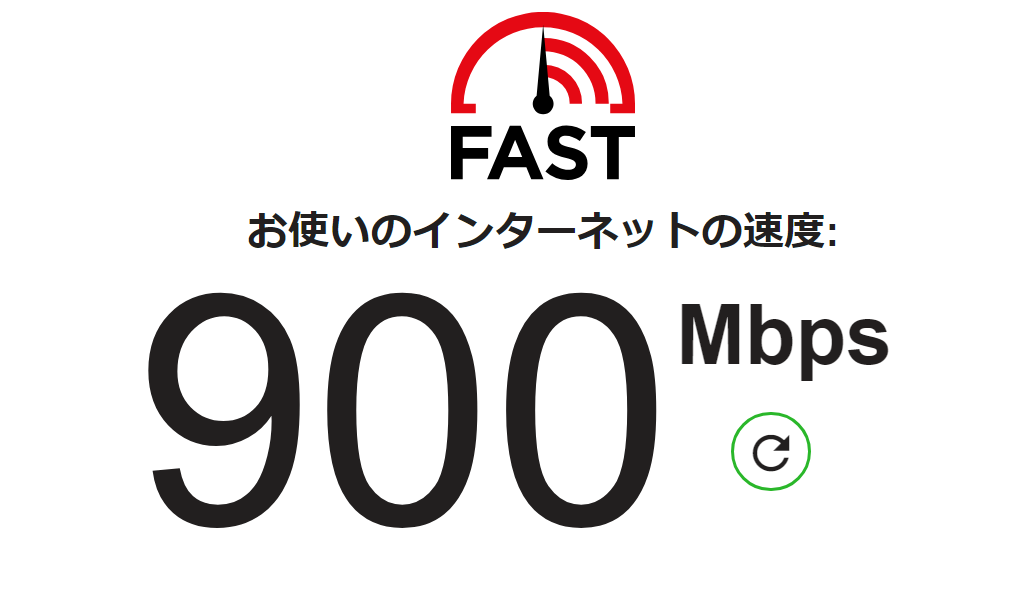
Note that the actual speed you can use may vary based on the environment and usage conditions, even for plans offered by ISPs (Internet Service Providers), so it is recommended to check actual values with a speed test. (The image depicts speed measurement using fast.com)
【What Happens if Upload Speed is Slow?】
If upload speed is inadequate, it can lead to longer times for social media posts, choppy video or audio during online meetings, and delays in sending large files.
【Recommended Tools for Comfortable Uploading】
When you want to share large files quickly, simple and user-friendly web tools are also convenient.
● UploadF (uploadf.com)
UploadF is a free file uploader that can be used entirely within a browser. You can upload files by dragging and dropping from either PC or mobile, with the ability to send up to 100 files at once. Moreover, you can freely set the storage duration and deletion features, making it useful for both work and personal use.
【Points to Keep in Mind When Using UploadF】
- The faster the upload speed, the shorter the file sending time.
- When sending multiple files at once, the tool optimizes the upload process for you.
【Summary: Benchmarks for Fast Upload Speed】
If you are concerned about speed, consider conducting a speed test or upgrading, while also leveraging convenient web tools like UploadF.