File uploader
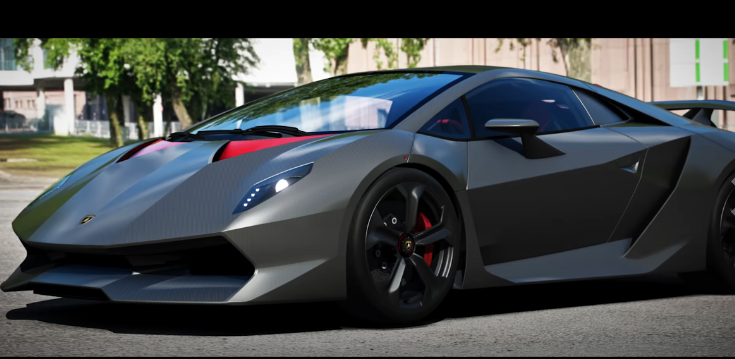
How to Easily Share Screenshots of Assetto Corsa
In Assetto Corsa, there's a pleasure in capturing beautiful vehicles and realistic landscapes to share on social media, Discord, or forums. However, in situations where you want to "send multiple images," "send to someone who is not using Steam," or "share in high quality," you may struggle with how to share.
This is where the file uploader UploadF comes in handy. It can be used immediately without member registration, and images can be uploaded and shared from both PCs and smartphones.
How to Capture Screenshots in Assetto Corsa
In Assetto Corsa, in addition to the Steam screenshot function (F12), you can take photos with more freedom by utilizing Photo Mode. In Photo Mode, you can adjust the camera position, field of view (FOV), depth of field (DOF), and more to create beautiful screenshots. Also, users who are using Content Manager or Custom Shaders Patch (CSP) can enjoy capturing with even greater freedom. Using a free camera during replays to take shots is also popular.
In the community, many methods are introduced that utilize Photo Mode, F5 free camera, shutter speed, and motion blur to capture screenshots that look like real photos.
UploadF is Recommended for Sharing Screenshots
While it is sufficient to share screenshots via social media, file uploaders are more convenient in the following cases.
- Want to send them together to Discord
- Want to share multiple images at once
- Want to send to someone not using Steam
- Just want to provide a download URL
- Want to make it available for a limited time
With UploadF, you can upload via drag & drop, and just send the issued URL to share. You can upload up to 100 files simultaneously, making it suitable for summarizing a lot of screenshots after a race.
Convenient Features of UploadF
- No membership registration is required
- Compatible with both PC and smartphones
- Password-protected sharing is possible
- You can choose the storage duration
- Individual deletion is possible when no longer needed
- Image editing and mosaic functions are also available
Even if information you do not want to be public, such as race rankings or chat logs, is captured, you can use the image editing function to add a mosaic before sharing. AI image learning prevention functions are also available, making it useful for screenshots you want to publish as works.
Points to Note When Sharing Screenshots
There are many vehicle mods and course mods utilized in Assetto Corsa. Sharing the screenshots themselves is generally acceptable, but distributing the mod files themselves may not be permissible.
When sharing, let's check the following points.
- Do not distribute mod data itself without permission
- Confirm that personal information or chat content is not displayed
- Use password sharing according to the scope of public access
Summary
Assetto Corsa is not only enjoyable for driving but also a charm in capturing beautiful screenshots. By utilizing Photo Mode and replay features, you can take photos that look like real car photos.
If you want to share the captured images with friends or the community, using UploadF makes it smooth. It can be used without member registration and supports bulk uploads of multiple images and password-protected sharing, making it a convenient service for sharing images among Assetto Corsa users.
Top Help Contact 🌐Language