File uploader
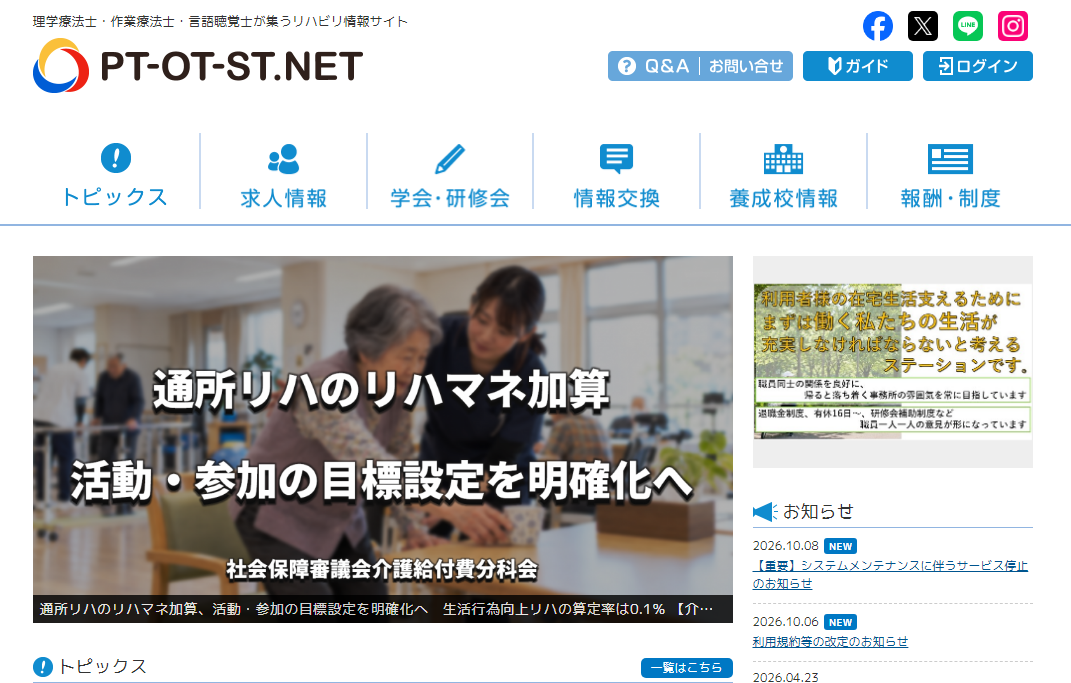
Troubleshooting When Unable to Post on PT-OT-ST.NET
Are you having trouble posting questions on the PT-OT-ST.NET bulletin board, such as being unable to log in or attach images?
PT-OT-ST.NET is a website where physical therapists (PT), occupational therapists (OT), and speech therapists (ST) can exchange information related to rehabilitation. The bulletin board allows posting questions and opinions on various themes, including medical compensation and rehabilitation, workplace issues, etc.
However, sometimes you might face issues due to problems with the input content, account status, or attached files.
This article introduces points to check when you are unable to post on PT-OT-ST.NET and how to share images or documents when needed.
1. Verify the Input Content of the Post Form
If you are unable to post on the bulletin board, first check for any errors in the input form.
PT-OT-ST.NET has a function for new posts, allowing you to choose a theme according to the content of your post. If you input a question and the post does not complete, check for any missing mandatory fields or insufficient selected items.
- Is there any missing input in the post title or body?
- Are all mandatory fields filled out?
- Have you selected the bulletin board theme or category?
- Does the input content contain any forbidden characters or formats?
- Was any error message displayed after hitting the post button?
In particular, when posting a long or complicated question, it may be reassuring to save the text being input to another text file. This reduces the hassle of rewriting the text from scratch if posting fails.
Be sure to follow the guidance on the post screen for the actual required input and posting conditions.
2. If You Cannot Log In, Check the Official FAQ
If the post button isn't displayed or you are returned to the login screen, check if there are issues with your login status.
The official inquiry page of PT-OT-ST.NET provides an FAQ on "Unable to log in.” If you suspect any issues with logging in, it is recommended to check the official explanation before repeatedly operating on your own judgment.
Check the official PT-OT-ST.NET contact and FAQ here
If you cannot proceed even after entering your login information, verify that there are no mistakes in your registration details and proceed according to the official FAQ guidance.
3. If You Cannot Attach Images or Files
Depending on the content of your question, you may want to attach images or documents. For example, you might want to share materials or diagrams related to rehabilitation, or images for explanations.
If attachment fails, please verify the following points:
- Is it a supported file format for attachment?
- Does the file size fall within the limits set by the posting screen?
- Does the file name include any special characters?
- If you're attaching multiple files, can reducing the number of files allow a successful post?
- Does it comply with the image upload method indicated on the official site?
The official inquiry page of PT-OT-ST.NET also has an FAQ titled, “About Image Uploading.” If you cannot attach images using the site’s features, please check this first.
Check the official FAQ for image uploading
Additionally, it may be worthwhile to change the method of sharing instead of attempting to forcibly attach a file format that is not supported by the posting form.
4. Use an Uploader to Share Multiple Images or Documents
If you're unable to attach images to a post or want to share multiple images or documents together, you can use a file uploader.
UploadF (uploadf.com) is a free file uploader that allows you to upload files, such as images and documents, and generate a shareable URL. It can be used not only from a computer but also from a smartphone.
For example, you can upload images needed for the question’s explanation and include the generated URL in the body of the bulletin board post, attempting to share even when you cannot attach files directly. However, please confirm whether posting external URLs and file sharing comply with PT-OT-ST.NET’s usage rules before posting.
UploadF has the following features:
- Free file uploads
- Compatible with both computers and smartphones
- Allows bulk uploads of multiple files
- Set a storage duration, which can be extended as needed
- Supports password protection and individual file deletion
- Supports a variety of extensions, including images and documents
When sharing images, it's essential to be mindful of personal information and the rights of third parties. Materials related to medical care may include confidential information, such as patient names, photographs, and facility names. Share only information that is safe for public view, and modify images or mask personal information as necessary.
5. Verify That Your Post Content and Attached Materials Do Not Violate Terms of Use
Even if the input content and files seem without issues, be cautious if the post content violates the site's terms of use.
The terms of use for PT-OT-ST.NET prohibit false information registration, acts that infringe on others' rights, and defamation of individuals or organizations. Additionally, it requires that you either hold the necessary rights for the posted text, images, and videos, or have obtained permission from the rights holder.
So, please be mindful of the following points:
- Do not repost images or materials created by others without permission
- Avoid inadvertently posting information that could identify patients or users
- Do not post content that defames specific individuals or facilities
- Share materials strictly within the necessary scope for the questions
However, whether the reason for being unable to post is due to violations of terms of use cannot be determined without information like an error message. Please check the official site’s guidance without making assumptions about the cause.
PT-OT-ST.NET official inquiry page
6. If You Still Cannot Post, Contact the Official Support
If confirming the input content, login status, and attached files does not resolve the issue, consider contacting the operators of PT-OT-ST.NET.
The official inquiry page allows you to review common questions and contact them via a form if issues remain unresolved. There is also an inquiry category for "Inquiries about the BBS."
When contacting support, organizing the following information can help explain the situation more easily:
- URL of the page you tried to post on
- Date and time of occurrence
- Error message displayed
- What action you took when the failure occurred
- Did you attempt to attach images or files?
If you have a screenshot of the error screen, it can be helpful for communicating the issue. However, if the screenshot contains personal information such as your name or email address, be sure to hide that information before sharing.
Here is the PT-OT-ST.NET inquiry form
Summary
If you are unable to post on PT-OT-ST.NET, first check the input content of the post form and troubleshoot any issues with login or attachments.
If you cannot attach images or documents, it is basic to check the official FAQ for troubleshooting methods. When utilizing external services for sharing, ensure you adhere to the site’s usage rules and guard against including personal or confidential information.
If you wish to share multiple images or documents together, using a free file uploader like UploadF is also an option. Choose a method that suits your needs and share information in a feasible manner.
Top Help Contact 🌐Language