File uploader
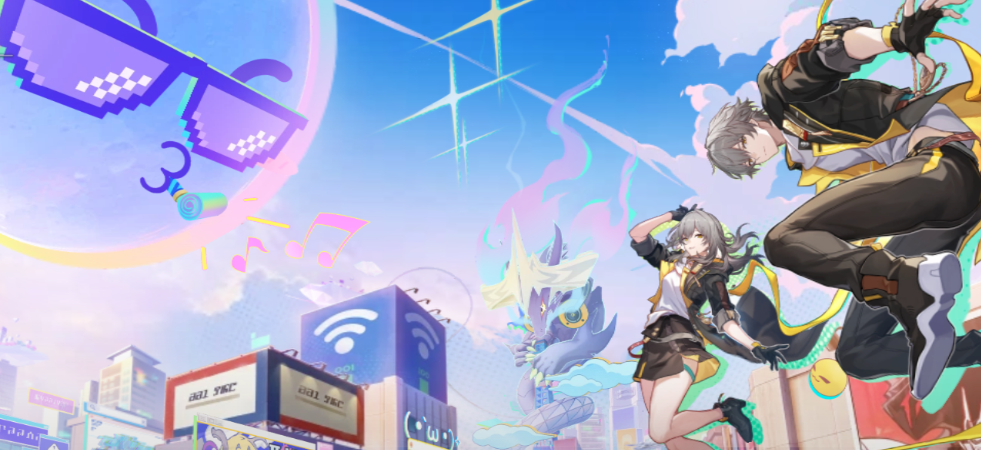
For Sharing Screenshots from Honkai: Star Rail, Maintaining Image Quality is Recommended
In Honkai: Star Rail, there are many moments that make you want to take screenshots, such as beautiful fields, spectacular special moves, and commemorative photos with favorite characters.
However, when posting directly to social media or chat apps, images may lose quality due to automatic compression. If you want to showcase detailed decorations or effects, we recommend sharing them as close to the original quality as possible.
In such cases, using a free file uploader like UploadF allows you to share easily by just sending the URL of the uploaded image to the other person. You can set a password and specify the storage period, making it convenient for sharing screenshots with friends.
How to Take Screenshots in Honkai: Star Rail
PC Version
On the PC version, you can usually take screenshots using the Print Screen key or Windows’s Win + Shift + S. If you’re using the Steam version, you can also use the F12 key screenshot feature.
Smartphone Version
On iPhone or Android, you can use the device's standard screenshot function. The captured images are saved in the photo app and can be shared directly.
PlayStation Version
On PS5, you can save screenshots using the "Create" button on the controller. If you use the PlayStation App, you can transfer and share them to your smartphone.
Recommended Methods for Sharing Screenshots
Share on Discord
Discord is widely used in the Star Rail community. However, images may be compressed depending on the image size and usage plan.
If you want to maintain image quality, it’s also convenient to upload the image to UploadF and paste the generated URL into Discord.
Post on X (Formerly Twitter)
If you want to publicly share your favorite screenshots, X is also popular. However, posted images are compressed, so it’s not suitable for works you want to showcase in detail.
Send via LINE
In LINE, images may be compressed during chat transmissions. If you want to maintain original quality, sending the uploader’s URL is a suitable option.
Steps to Share Screenshots Without Losing Quality
- Take a screenshot in Honkai: Star Rail
- Upload the image to UploadF
- Copy the shared URL
- Send the URL via Discord, LINE, or social media
You won’t need to send the image itself multiple times; you can share it with multiple people by uploading it just once.
Reasons Why UploadF is Suitable for Sharing Honkai: Star Rail Screenshots
- Free to use
- Can upload from both PC and smartphone
- Supports drag and drop
- Can upload up to 100 files at once
- Can choose the storage period
- Supports password-protected sharing
- Can delete unnecessary images individually
You can easily manage a large number of screenshots taken during events or shooting sessions since they can be uploaded together.
Editing Images Before Sharing is Also Convenient
There may be times when you want to hide UID or chat sections before publishing your screenshots.
UploadF has image editing features, allowing you to apply mosaics, cropping, resizing, and rotation directly in the browser. You can edit without installing software, making it convenient for simple processing before publication.
Additionally, using AI image learning prevention features can be useful as a countermeasure when publishing illustrations or creative images.
Checklist for Sharing Screenshots
- Ensure the in-game UID is not visible
- Check that friend names or chat content are not displayed
- Be mindful of spoilers in story scenes when sharing
- If you want to maintain quality, choose a method that does not compress the image
Conclusion
Honkai: Star Rail, with its beautiful graphics and visuals, is a work that you want to save and share screenshots in high quality.
While there are easy ways to post on social media, if you want to maintain the original quality or share with multiple people at once, using a file uploader is convenient.
With UploadF, you can share images easily and for free, plus utilize features like password protection, storage period specification, and image editing. If you want to comfortably share your memories and favorite screenshots from Star Rail, definitely give it a try.
Top Help Contact 🌐Language