File uploader
List of Methods to Send Files Instead of AirDrop
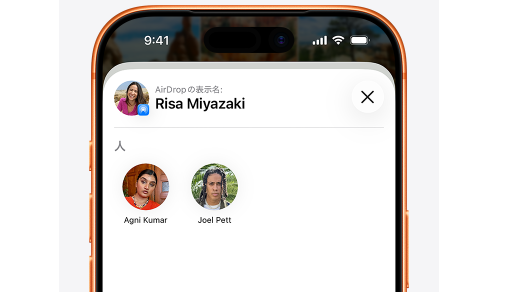
AirDrop is a convenient feature that allows easy file transfer between iPhone, iPad, and Mac, but does not support Windows or Android. Therefore, depending on the recipient's device, you'll need to utilize different methods.
Here are some representative alternatives summarized.
| Method | Supported Devices | Features |
|---|---|---|
| File Uploader | All | Can share just by sending a URL |
| Quick Share | Android, Windows | High-speed transfer over short distances |
| Send Anywhere | Almost all | Can send using a 6-digit code |
| LocalSend | Windows, Mac, iPhone, Android | High-speed transfer within the same network |
| Cloud Storage | All | Also suitable for long-term storage |
| All | Convenient for small file sizes | |
| USB Flash Drive | PC-focused | Available offline |
The Easiest Method is the File Uploader
If you are looking for a method that can be used without worrying about the OS as a substitute for AirDrop, a file uploader is very convenient.
For example, UploadF can be used from any PC, iPhone, or Android device, just through a browser.
- Upload via drag & drop
- Simply send the URL to the recipient
- No registration required, free to use
- Supports password-protected sharing
- Allows setting a storage period
- Can upload 100 files at once
Can be used even if the recipient does not use Apple products, allowing for smooth file sharing even in situations where AirDrop is unavailable.
Using Quick Share
If sharing between Android smartphones or with Windows PCs, Quick Share is also convenient.
It can transfer files at high speed to nearby devices using Bluetooth or Wi-Fi. However, it generally lacks compatibility with Apple products and is not suitable for sending to iPhones.
Using Send Anywhere
Send Anywhere is a service that allows file transfer just by entering a 6-digit authentication code.
It supports Windows, Mac, iPhone, and Android, and one of its advantages is that it can send files to recipients who are far away. However, using the service requires either an app or web service. :contentReference[oaicite:0]{index=0}
Using LocalSend
LocalSend is a free, open-source file-sharing software that can be used.
Devices connected to the same Wi-Fi can transfer files at high speed without going through the internet.
It supports Windows, Mac, Linux, iPhone, and Android, but all devices need to have the app installed. :contentReference[oaicite:1]{index=1}
Sharing via Cloud Storage
Cloud storage services such as Google Drive, Dropbox, and OneDrive are also classic choices.
Once you issue a shared link, files can be shared with anyone.
However, since files must be uploaded to the cloud before the recipient can download them, the convenience is somewhat different from immediate transfers like AirDrop.
Recommendations by Use Case
| Use Case | Recommendation |
|---|---|
| Want to send from iPhone to Windows | UploadF |
| Between Android and Windows | Quick Share |
| High-speed transfer within the same Wi-Fi | LocalSend |
| Want to send to someone far away | UploadF・Send Anywhere |
| Want to store for a long time | Cloud Storage |
Points to Consider When Choosing an Alternative to AirDrop
Choosing a service based on the following points can reduce the chances of failure.
- Can it be used regardless of the recipient's OS?
- Is registration required?
- Is app installation necessary?
- Can it be shared with just a URL?
- Does it support password protection?
- Can multiple files be sent together?
Especially in work or school settings, it's often the case that you don't know what device the recipient is using, so browser-based services are extremely convenient.
Conclusion
AirDrop is very convenient among Apple devices, but it cannot be used for sharing with Windows or Android.
In such cases, by using file uploaders that only require a browser, Quick Share, LocalSend, and more, you can send files comfortably.
In particular, UploadF can be used for free across PCs and smartphones, and sharing can be done easily by just sending a URL. It also supports password settings and period specifications, making it a handy alternative to AirDrop.
Furthermore, when sharing images, you can utilize convenient features such as AI image learning prevention, image editing, and OCR, which are useful not only for file sharing but also for image processing and management.
Top Help Contact 🌐Language